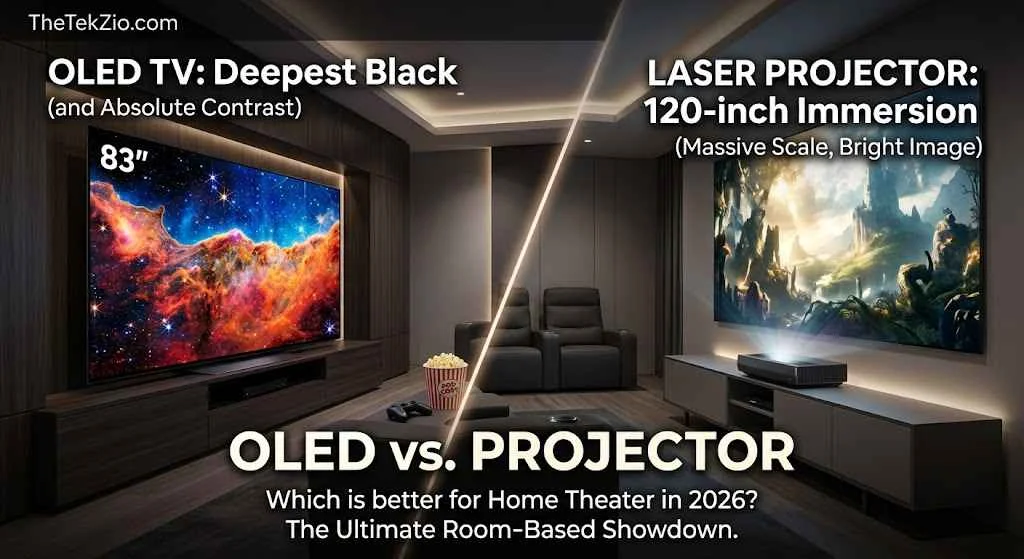
Quick answer: An OLED panel switches individual pixels fully off, which produces absolute black and holds up in a lit room. A 4K or laser projector cannot reach those black levels, but it delivers 100 to 120 inches for roughly the price of an 83-inch OLED. Is OLED better than a projector? In a living room, yes. In a room you can fully darken, size wins.
Most people shopping for a big screen compare the wrong two numbers. A television is rated in nits, and a projector is rated in lumens, and those units do not measure the same thing. That single mix-up sits behind most of the buyer’s regret in this category. The OLED vs. projector argument is rarely settled by which technology is better on paper.
It is settled by whether your room can support the one you want. Flip the framing to projector vs. OLED TV, and the winner can change depending on what time of day you actually watch. At The Tek Zio, we keep coming back to one number that neither side puts in its marketing, and once you have that number, the OLED TV vs. projector decision usually makes itself. What follows covers contrast, brightness, size per dollar, and the costs nobody quotes upfront.
The short version
OLED wins on contrast and any room with light in it. A projector wins on inches per dollar and only in a space you can control. Everything below is detail on those two sentences.
Here is the OLED vs 4K projector comparison in one table. Treat it as the map, not the answer.
| Metric | OLED TV | 4K or laser projector |
|---|---|---|
| Black level | Absolute. Pixels turn off | Dark gray. Limited by room light |
| Peak brightness | Hundreds of nits full field, thousands in small highlights | Depends entirely on screen size |
| Practical size range | 42 to 97 inches | 80 to 200 inches |
| Room requirement | None. Works in daylight | Light controlled, or an ambient light-rejecting screen |
| Screen cost | Included | $500 to $2,000 extra for a good ALR screen |
| Light source life | Panel rated for years of normal use | Laser rated around 20,000 to 25,000 hours by manufacturers |
| Install effort | Unbox and mount | Mounting, cable runs and alignment |
| Daytime viewing | Strong | Weak without a matched screen |
| Gaming latency | Around 0.1 ms pixel response, up to 165 Hz | Roughly 20 to 30 ms input lag on current models |
| Price range | $1,399 to $24,999 depending on size | $700 to $7,000 before the screen |
The OLED vs laser projector picture quality gap is real, but it is not uniform. In a black room the projector closes most of it. In a bright one it never opens the fight. These are two different kinds of display devices solving two different problems, and the trade offs only make sense once you know your room.

Nits vs lumens and why spec sheets do not compare
The honest comparison uses footlamberts, because that is the only unit that describes both technologies at once.
Definition: the foot-lambert. A nit measures light leaving a screen surface. A lumen measures total light leaving a projector before it hits anything. A foot-lambert, written as “fL,” measures the light that actually reflects off your projector screen and reaches your eyes. It is the projector equivalent of a nit, and it is the number that decides whether an image looks punchy or washed out.
The math is simple enough to run on your phone:
fL = (lumens landing on the screen × screen gain) ÷ screen area in square feet
For a 16:9 screen, the area in square feet is roughly the diagonal in inches squared, multiplied by 0.00297. A 120-inch screen works out to about 42.8 square feet.
Run a real case. Take a 3,000-lumen projector on a 120-inch screen with a plain 1.0-gain surface. Assume it holds around 70 percent of its rated output in an accurate picture mode, which is normal once you leave the blown-out vivid preset. That is roughly 2,100 lumens landing on the screen, and 2,100 divided by 42.8 gives about 49 fL.
Forty-nine fL is a bright, healthy image. It is also nowhere near the several hundred nits an OLED TV puts out across a full white field, and it collapses the moment somebody opens a curtain. That is the whole story of the screen and projector relationship. The projector does not get brighter when the room gets brighter. Your eyes just get less sensitive.
This is also why “bright enough” is a room question and not a spec question. Shrink that same projector to a 100-inch image, and the same light source delivers around 70 fL. Stretch it to 150 inches, and you drop to roughly 31 fL. Nothing about the hardware changed.
Contrast and black level: where the OLED panel is untouchable
An OLED display makes black by switching pixels off, which means its contrast is limited by your room and not by the panel.
The mechanism matters here. An LCD television display needs a backlight behind the panel, and that backlight is always on during a dark scene. Manufacturers dim zones of it to hide the leakage, but the light is still there. An OLED does not need a backlight at all. Each pixel is its own light-emitting diode, and an off pixel emits nothing. That is where the quality of an OLED comes from, and it is why OLED displays still set the reference for deeper blacks even after years of mini LED improvement.
A projector cannot copy that trick. It has one light source, no per-pixel control, and a passive surface in front of it. Projector black levels are whatever gray your screen material shows when the projector is displaying black, plus whatever light bounces back off your walls and ceiling. High-end machines get remarkably close. JVC has built its D-ILA reputation on native contrast figures around 40,000 to 1, which is the best black performance you can buy for roughly $10,000. Even so, that number is a dark-room laboratory measurement. Add one lamp and it stops being true.
Vendors publish native contrast for ultra-short-throw models too. Hisense quotes 5,000 to 1 for the L9Q, which is respectable for the category and still an order of magnitude behind a good long-throw machine and immeasurably behind a panel that can produce zero.
The practical read on OLED vs projector contrast is this. If you are the kind of viewer who notices letterbox bars glowing gray during a dark film, only a panel will satisfy you, and even a four-year-old set like the LG C2 OLED or the LG G2 will do it. If you mostly watch in a room you can genuinely black out; a projector gets close enough that size takes over. It is worth calibrating whatever you buy, and the same principles that apply to a budget monitor for photo editing apply here.
Screen size per dollar: 83-inch OLED vs 100-inch projector
Projectors win on inches per dollar, and it is not close above about 90 inches.
LG announced pricing for its 2026 OLED evo lineup on March 4, 2026. The flagship G6 series runs 55, 65, 77, 83 and 97 inches with an MSRP starting at $2,499 and a five-year panel warranty, and the LG G6 specification page lists the same tiering. The C6 series covers 42 through 83 inches starting at $1,399. At retail, Best Buy has listed the 83-inch G6 with a comparable value of $6,499.99 and the 97-inch at $24,999.99. That is the shape of the big-screen OLED market. Price does not scale with area. It scales with panel yield, and yield falls off a cliff at the top.
A triple-laser ultra-short throw sits in a different bracket entirely. Hisense lists the PX3-PRO at 3,000 ANSI lumens covering 80 to 150 inches, and the Hisense L9Q specification page lists up to 5,000 ANSI lumens with a 0.18 throw ratio reaching up to 200 inches. Both land in the low thousands. Add $500 to $2,000 for a matched ambient light-rejecting screen and a 120-inch setup still costs less than the 97-inch panel by a wide margin.
Now size it properly instead of buying the largest thing that fits the wall. Two viewing distance references exist, and both are worth knowing:
- SMPTE 30-degree target. Screen diagonal in inches is roughly your seating distance in inches multiplied by 0.625. At 10 feet, that is about a 75-inch screen.
- THX 36° target. Multiply seating distance in inches by about 0.835 instead. At 10 feet that gives roughly 100 inches.
That math reframes the whole 77-inch OLED vs. 100-inch projector debate. At 10 feet a 77-inch panel already sits comfortably past the SMPTE reference, so the extra inches are buying immersion rather than fixing a deficiency. The 100-inch projector vs. OLED comparison only becomes lopsided once you sit closer than about 10 feet or care about filling peripheral vision. Push to a 120-inch projector vs. OLED matchup, and you need roughly 12 feet of seating distance to stay inside the THX angle without craning your neck.
One note on resolution while you are here. Every current model in this fight is 4K UHD. Ignore anything marketed as 5K or 8K in the home theater space because there is no content to feed it and the larger screen size you gain from a projector does far more for perceived detail than extra pixels ever will. 1080p projectors still exist at the bottom of the market and are worth avoiding at these sizes.

Laser TV vs OLED: what UST actually changes
“Laser TV” is a marketing name for an ultra-short-throw projector sold with a matched ambient light-rejecting screen. Understand it that way, and the category makes sense.
A UST unit sits inches from the wall with a throw ratio around 0.2, so it goes on a credenza instead of a ceiling. No mounting, no cables through drywall, and no shadow when somebody walks past. Samsung, Hisense, LG, Epson and AWOL Vision all sell into this space, and most current models ship with a smart TV platform and speakers built in. Dolby Vision and Dolby Atmos support is common at the top of the range.
What UST costs you is contrast. The steep projection angle makes it harder to control stray light inside the optical path, so a high-end laser long-throw model will generally beat a UST on black level at the same price. The screen is not optional either. A UST needs a screen designed for UST geometry, and a standard-throw ALR screen will hotspot badly if you pair the wrong two. The UST projector vs OLED comparison is only fair when that screen is in the budget from day one.
The light source question is largely settled. Modern projectors in this class use laser light rather than a bulb, and manufacturers rate laser engines at roughly 20,000 to 25,000 hours. Lamp-based projectors still exist; they are cheaper upfront, and you will replace the lamp every few thousand hours. For anything you intend to keep, laser is the sane choice.
So the OLED vs. ultra-short-throw projector call comes down to furniture. If you cannot mount anything and you want 100 inches, UST is the only path. If you can mount, a long-throw laser gives you better black levels for less money.
Living room or dark room? The question that actually decides this
Your room decides this before either device is switched on. Work through the list honestly.
- Window direction. South- and west-facing windows put light on the screen during exactly the hours most households watch. A projector in that room needs an ALR surface or blackout blinds.
- Blind or curtain feasibility. If you rent, or the windows are an awkward shape, assume you cannot fully darken the room and buy accordingly.
- Wall and ceiling color. A white ceiling reflects projector light straight back onto the screen and raises your own black floor. A dedicated theater room is usually painted dark for exactly this reason.
- When you actually watch. Count the hours before sunset. If most of your viewing is daytime sport or background TV, ambient light is your default condition and not an edge case.
- Shared use. A room where somebody reads or works while the screen is on is not a movie theater. It is a living room.
- For a wider look at how connected technology is changing everyday homes, explore our guide to smart appliance trends for modern homes.
- Screen mounting. A 120-inch fixed frame screen needs about 105 inches of clear wall. Measure before you fall in love with a size.
OLED vs. projector for living room use is usually an OLED answer. OLED vs. projector for dark room use flips hard the other way. OLED vs projector for home theater builds where you control the space, the seating, and the lighting is genuinely the projector case, and it is the only scenario where the projector wins on picture rather than on price. It depends on your space more than on any spec in this post.
How to choose between OLED and a projector in six steps
Should I buy an OLED or a projector? Run these six steps in order, and the answer falls out.
- Measure your seating distance in inches and multiply by 0.625 and 0.835. Those two numbers are your sensible size range.
- Audit your room light at the hours you actually watch, not at midnight when you are researching.
- Calculate the foot-lamberts a candidate projector would deliver at your target size using the formula above. Anything under about 16 fL in a dark room is too dim.
- Add the screen, the mount, and the cable run to the projector column before you compare prices. A projector quote without a screen is not a quote.
- Check your console or PC against both. Refresh rate, HDMI bandwidth, and firmware update history all matter more than the marketing tier.
- Decide on the room first and the technology second. The OLED TV or projector question is a room question wearing a display costume.
If step four produces a number you dislike, that is useful information. It usually means an 83-inch panel gets you the best image for the money in your specific space.
Gaming, sport and motion
Panels win competitive gaming, and projectors are fine for everything else.
Current flagship OLEDs run 4K at up to 165 Hz with a pixel response near 0.1 ms, plus NVIDIA G-Sync and AMD FreeSync support. That combination is why fast motion looks clean without smearing. LG quotes those figures for the 2026 G6 and C6 lines.
Projectors have closed the gap more than most people expect. The Hisense PX3-PRO handles 4K at 120 Hz and lands around the mid-20-millisecond mark for input lag, which is fine for sports, driving games, and single-player titles. It is not fine for a ranked shooter, where 20 milliseconds is a real handicap.
HDR is the other split. High dynamic range content is mastered against peak brightness targets a projector simply cannot reach at 120 inches, so projectors tone-map the signal down to what they can produce. It looks good. It does not have the specular pop of a panel that can drive a small highlight to several thousand nits. Dolby Vision support helps a projector make better tone mapping decisions, and it does not change the physics.
For couch gaming either works. A projector at 120 inches makes PS5 racing games feel like a different hobby, and pairing that with a custom PS5 controller is a cheaper upgrade than either display. Skip 1080p projectors for gaming at these sizes.
Pros and cons of each, without the marketing
Here are the pros and cons neither category puts on the box.
OLED TV
- Absolute black and the best picture in any room with light in it
- No screen to buy, no alignment and no fan noise
- Best image quality for HDR because peak brightness is not spread over 40 square feet
- Excellent gaming specs as standard on current models
- The price per inch climbs steeply above 77 inches
- Caps out at 97 inches, and the 97-inch G6 does not use the same Primary RGB Tandem 2.0 panel or Reflection Free Premium coating as the smaller sizes, per LG documentation
- Static bright logos deserve some caution over a long ownership period
Projector
- Projectors offer 100 to 200 inches at a price no panel can approach
- Genuine immersion and a cinematic experience that a 77-inch set does not replicate
- Laser light sources rated at 20,000 hours or more remove the old bulb replacement cycle
- The screen is a second purchase, and a good one runs $500 to $2,000
- Fan noise sits in the room with you
- Ambient light removes the advantage entirely
- Color saturation and contrast both drift as the light source ages
Compared to projectors, OLEDs are the low-effort option, and that is a genuine feature. Neither is the best projector or the best panel for everyone. The best image is the one your room lets you see.
Specs and standards worth knowing
A projector brightness figure is only meaningful once you know which standard produced it.
- ISO 21118:2020, from the International Organization for Standardization, is the governing projector brightness standard. It averages illuminance across a nine-zone grid on a full white field, and it requires production units to deliver at least 80 percent of the rated figure. BenQ publishes a plain English breakdown of projector brightness units covering the same ground.
- ANSI IT7.228 is the older American standard. It has been retired in favor of the ISO method, though the phrase “ANSI lumens” survives in US marketing. Industry conversion puts roughly 1 ANSI lumen at 0.8 ISO lumens, which is why some brands republished lower numbers without changing any hardware.
- CVIA lumens, from the China Video Industry Association, adds color temperature bounds and a color deviation limit of Duv 0.015 or less.
- LED lumens and light source lumens are not defined by any recognized standards body. Treat both as marketing.
- SMPTE 196M sets 16 foot-lamberts as the reference luminance for a dark commercial cinema. Home enthusiasts commonly target 16 to 30 fL for SDR and 40 to 50 fL for HDR or rooms with some light.
- HDMI 2.1 and eARC matter for 4K at 120 Hz. Check the port specification on the actual model rather than the series page.
Stats and data
| Data point | Year | Source | Why it matters |
|---|---|---|---|
| LG OLED evo G6 spans 55 to 97 inches, with an MSRP from $2,499 and a five-year panel warranty | 2026 | LG Electronics USA press release, March 4, 2026 | Sets the real OLED price-per-inch floor |
| The 97-inch G6 omits the Primary RGB Tandem 2.0 panel and Reflection Free Premium coating | 2026 | LG product documentation | The largest OLED is not the best OLED |
| ISO 21118 requires production units to reach at least 80 percent of rated brightness | 2020 standard | ISO, via BenQ technical documentation | Explains why lumen specs vary between brands |
| SMPTE reference cinema luminance is 16 foot-lamberts in a dark room | SMPTE 196M | SMPTE | The target a projector has to actually hit |
| Hisense L9Q: up to 5,000 ANSI lumens, 5,000 to 1 native contrast, 25,000-hour laser life, 0.18 throw ratio | 2026 | Hisense product specification page | Best-case projector figures, stated by the manufacturer |
Common mistakes buyers make
- Comparing nits to lumens directly. You end up buying a projector that measures bright and looks washed out at your screen size.
- Budgeting for the projector but not the screen. That is a $500 to $2,000 surprise, or a compromised image on bare drywall.
- Pairing a UST projector with a standard-throw ALR screen. The geometry does not match, and you get a visible hot spot in the middle of the image.
- Trusting LED lumens or light source lumens. The real ISO figure can be a fraction of the advertised number, because no standards body defines those terms.
- Sizing the screen to the wall instead of the seating distance. You get neck fatigue, and you start seeing artifacts the content was never meant to show.
- Assuming the biggest OLED is the flagship OLED. LG documents the 97-inch G6 as using a different panel and coating than its smaller siblings.
- Ignoring wall and ceiling color in a projector room. Your own paint job lowers your contrast ratio before the projector does anything wrong.

Reality check: will you actually notice the difference?
In a room you can genuinely darken, a good 4K laser projector at 120 inches will move you more than an 83-inch OLED will, and that is a statement about size rather than picture quality. In a room with a window, the OLED wins before either device is switched on.
Most people asking this question are furnishing a living room and not building a theater. For them the debate was already settled by their curtains. The physics is not negotiable. A projector spreads a fixed amount of light across 40 or more square feet, and every lumen of ambient light in the room adds directly to the black floor of that image. An OLED panel raises no black floor at all, because an off pixel is off regardless of what the room is doing.
Say the unglamorous part plainly. At 10 feet of seating distance, a 77-inch OLED already exceeds the SMPTE 30 degree reference, so the cheaper option is enough for a large share of readers. You should notice a real difference stepping up to 120 inches, but only if you also control the light. Buy the projector for the size and the immersion. Do not buy it expecting the contrast of an OLED TV and a projector to converge, because they do not.
Who should buy which
There is no single right answer here, so route yourself by the kind of viewer you are. Best OLED or projector 2026 shopping works better as five separate questions than one.
- Budget buyer under $2,000. A 65- or 77-inch OLED, or a long-throw laser plus a modest screen if your room is already dark. Not a UST, because the screen cost breaks the budget.
- Dedicated theater builder. A projector at 120 inches. Skip the ALR screen if you can fully black out the room and put the money into the projector instead.
- Casual living room viewer. OLED. Every time.
- Sport and gaming household. OLED for competitive play. A 3,000-lumen-class UST is credible for sports and single-player if the room cooperates.
- Renter with no ceiling mount option. UST, with the matched screen budgeted from the start.
Whichever way you go, budget separately for sound. Home theater audio is the upgrade people skip and regret, and even a good headset like the Turtle Beach Stealth 700 or a pair of Sony WH-1000XM6 vs. AirPods Max class headphones does more for late-night viewing than another 10 inches of screen.
The bottom line
The OLED vs. projector decision is a room decision that looks like a technology decision. Darken the space, and a 120-inch image gives you something no panel sells at any price. Leave the curtains open, and an OLED wins every hour of the day. Measure your seating distance, count your daylight hours, and price the screen before you price the projector. If you are still weighing options, the Tek Zio covers displays, gaming hardware, and the streaming setup behind them in more depth elsewhere on the site. Your bandwidth matters too, and a 300 Mbps internet speed connection is plenty for 4K on either one.
How The Tek Zio researches this
The Tek Zio does not operate a test lab and does not perform its own display measurements. Every figure here comes from manufacturer specification pages, published standards from ISO and SMPTE, or independent testing labs, each named where it is used. Brightness and contrast claims from LG, Hisense, and other brands are attributed to those brands rather than presented as measured results. Prices move constantly and should be checked before you buy. This article was last checked on August 16, 2026.
Related posts
Frequently asked questions
Is OLED better than a projector?
For picture quality in any room with light in it, yes. An OLED panel turns pixels off completely, producing black a projector cannot match, and it holds contrast in daylight. A projector wins on size per dollar and only matches OLED image quality in a fully light controlled room. Your room decides which advantage matters.
Is a 100-inch projector better than an OLED TV?
It is bigger and it is cheaper per inch, but it is not better on picture quality unless the room is dark. A 100-inch projected image in a controlled room delivers immersion an 83-inch panel cannot. In a lit living room the same setup loses contrast and looks flat next to any current OLED TV.
How many lumens do I need to match an OLED in a bright room?
You cannot match one, and chasing the number is the wrong move. Aim for 40 to 50 foot-lamberts at your screen size, which usually means 2,500 ISO lumens or more on a 100-inch screen plus an ambient light rejecting surface. Beyond that, more lumens raise the black floor along with the highlights.
What is the difference between ANSI lumens and ISO lumens?
Both average brightness across a nine-zone grid on a white field. ISO 21118:2020 is the current international standard and adds a requirement that production units hit at least 80 percent of the rated figure. ANSI IT7.228 is the retired American method. Industry conversion puts 1 ANSI lumen at roughly 0.8 ISO lumens.
Is a Laser TV the same thing as a projector?
Yes. Laser TV is a marketing term for an ultra short throw projector bundled with a matched ambient light rejecting screen and a smart TV platform. It sits inches from the wall rather than across the room. The underlying technology is projection, with all the ambient light limitations that implies.
Do I need an ALR screen and what does one cost?
You need one if the room has any uncontrolled light, and quality ambient light rejecting screens run $500 to $2,000 depending on size and type. Match the screen to your throw type, because UST and standard-throw ALR surfaces are engineered differently. In a fully dark room a plain 1.0 gain screen performs better.
Can a projector display HDR properly?
Partially. Projectors accept HDR10, HDR10+ and Dolby Vision signals, but they cannot reach the peak brightness HDR content is mastered against, so they tone map the range down to what the light source can produce. The result looks good and lacks the specular highlight pop of an OLED panel driving small bright areas hard.
Which is better for gaming, OLED or a projector?
OLED, clearly, for anything competitive. Current OLED TVs run 4K at up to 165 Hz with roughly 0.1 ms pixel response and full VRR support. Good projectors now manage 4K at 120 Hz with input lag around 20 to 30 milliseconds, which suits sport, racing and single-player games but handicaps ranked shooters.
How long does a laser projector light source last?
Manufacturers rate laser engines at roughly 20,000 to 25,000 hours, with Hisense quoting 25,000 hours for the L9Q. At four hours a day that is over 17 years of stated life. Brightness and color saturation drift gradually rather than failing outright, so treat those figures as vendor estimates rather than warranties.
Should I buy an OLED or a projector for a living room with windows?
Buy the OLED. A living room with uncontrolled daylight removes the projector main advantage, because ambient light raises the black floor of a projected image and flattens contrast. If you want projection anyway, budget for an ambient light rejecting screen and accept that daytime viewing will still look better on a panel.