
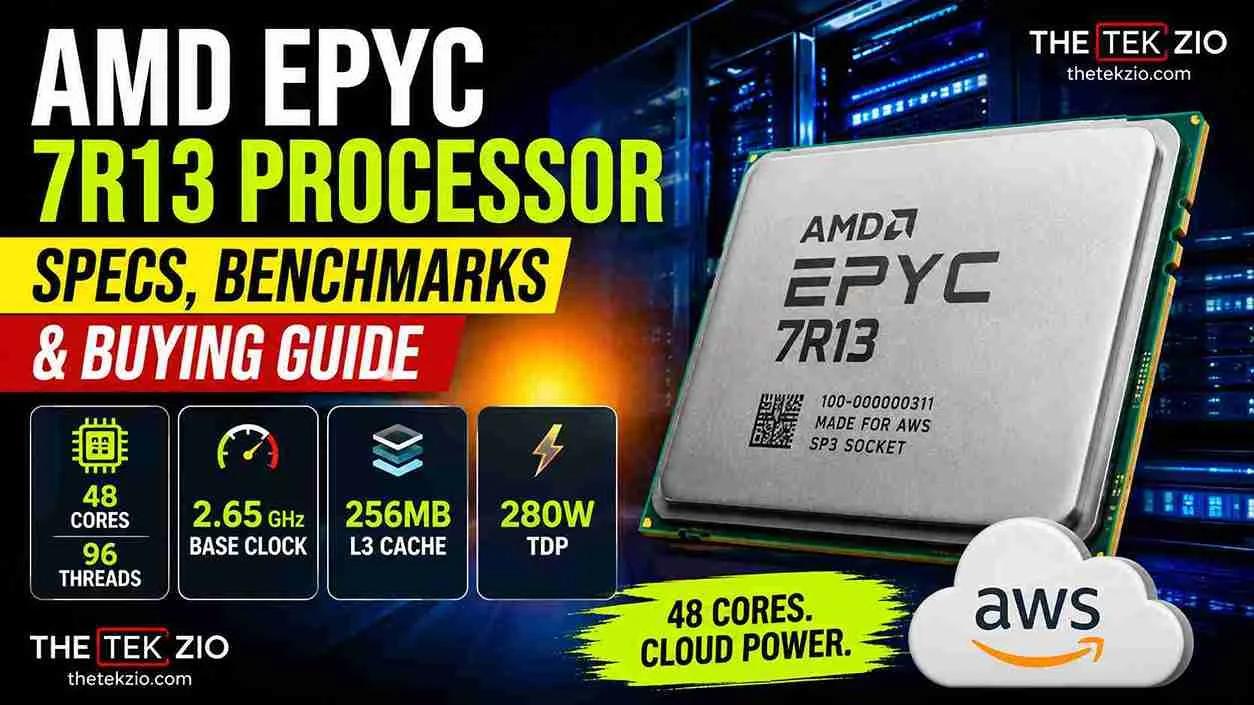
Quick Answer: The AMD EPYC 7R13 is a 48-core, 96-thread server processor built on the AMD Zen 3 architecture and sold under the OEM part number 100-000000311. Reseller listings put it at a 2.65 GHz base clock, 256 MB of L3 cache, and a 280 W TDP on socket SP3. AWS built it for M6a and C6a cloud instances, so retail stock does not exist.
Most people who search for this chip start with the same wrong assumption. They expect a normal AMD product page with a price, a warranty, and a box. That page does not exist. The AMD EPYC 7R13 processor is a cloud-custom server part built for Amazon Web Services, and the only way you will ever own one is through the used and OEM market. It has 48 cores, 96 threads, and a large pool of cache, and it sells for a fraction of what a listed AMD server chip costs.
That gap is the whole reason it keeps showing up in homelab builds and budget rack refreshes. This article from The Tek Zio settles what the specs actually are, what the benchmark numbers mean, how it lines up against the chips AMD does sell, and whether buying one makes sense for you.

What Is the AMD EPYC 7R13 Processor?
The AMD EPYC 7R13 is a server processor that Amazon commissioned for its own cloud fleet, which is why the model number breaks the usual naming pattern. The “R” marks it as a cloud-custom part rather than a listed member of the EPYC 7003 series. AMD publishes full pages for chips like the EPYC 7713 and the EPYC 7543. It does not publish one for this model. Search for AMD EPYC 7R13 on AMD’s own site, and you get nothing back.
Where it does appear is in cloud documentation. AWS announced the M6a instance family on November 29, 2021, and stated that it runs on 3rd Gen AMD EPYC Milan processors with an all-core turbo frequency of up to 3.6 GHz. AWS followed with the compute-focused C6a family in 2022 and named the same silicon. The C6a line runs from two vCPUs on the small size up to 192 vCPUs on the c6a.48xlarge, which is a dual-socket board with two of these chips inside. That number, 192, is where a lot of the confusion about core counts on this product starts.
So the short version: this is server hardware that spent its first life inside a cloud provider data center, then reached the secondary market when Amazon rotated hardware out. It is the same class of compute you get from a listed AMD EPYC server CPU, sold through a different channel with different rules. If your reference point for AMD is desktop silicon like the Radeon 7800 XT and Nvidia equivalent comparisons, reset your expectations now. Nothing about this part behaves like a consumer product.
AMD EPYC 7R13 Specs and Full Specification Table
The EPYC 7R13 specs come from two places, and you should know which is which before you spend money. Core count, thread count and architecture are confirmed by benchmark databases that read the chip directly. Clock speed, cache size and TDP come from reseller listings and OEM documentation rather than an AMD spec sheet.
| Specification | Value |
|---|---|
| Cores | 48 |
| Threads | 96 |
| Architecture | Zen 3 (Milan, EPYC 7003 series) |
| Base clock | 2.65 GHz (reseller listed) |
| All-core turbo | Up to 3.6 GHz (AWS stated) |
| L3 cache | 256 MB (reseller listed) |
| TDP | 280 W (reseller listed) |
| Socket | SP3 |
| PCIe | Gen 4 |
| Memory | 8 channel DDR4-3200 |
| OEM part number | 100-000000311 and 100-000000311WOF |
| Security | SME, SEV, SEV-ES, SEV-SNP |
A few notes on that table. The AMD EPYC 7R13 cache figure of 256 MB is the L3 pool shared across all eight core complex dies, and it is the same number AMD lists for the top Milan parts. Cache matters here more than clock speed, because a database or an analytics job spends most of its time waiting on memory rather than on math. The EPYC 7R13 TDP of 280 W is the number that catches people out. That is a lot of heat for a home rack and it sets your cooling and energy budget before you buy anything else.
One more correction worth making early. This chip uses socket SP3. It does not use SP6, which is the smaller socket AMD introduced later for the EPYC 8004 family. If a listing tells you an SP6 board will take this processor, walk away from that seller.
What a Cloud-Custom SKU Actually Means
Definition: cloud-custom SKU. A processor built to a single large customer specification, given its own OEM part number, and never sold at retail. It carries no consumer warranty, appears on no manufacturer product page, and may be permanently locked to one server vendor at the factory.
That last part is the one that costs people money. AMD supports a feature called “Platform Secure Boot,” which lets a server maker fuse a chip to its own hardware root of trust the first time it boots. Once that fuse is blown, the processor will refuse to start on any board from a different vendor. It is not a software setting, and you cannot undo it. AMD documents the mechanism as part of its platform security material.
This is why the same model can be a bargain for one buyer and a paperweight for another. Nothing about the silicon changes. The difference sits in whether the previous owner locked the part. Sellers who deal in enterprise hardware every day usually know the answer. Sellers clearing a pallet on an auction site often do not.
Because there is no AMD warranty channel behind an OEM chip, your only protection is the return policy of whoever sells it to you. Read that policy before you read the specification list.
AMD EPYC 7R13 Benchmark: CPU Benchmarks and Test Suite Results
The AMD EPYC 7R13 benchmark picture is strong on parallel work and unremarkable on single-thread speed. According to PassMark CPU Benchmark data current to August 2026, the chip records an average CPU Mark of 79,420 in multithread testing and 2,606 in single thread. That places it 92nd fastest out of 5,967 processors for multithreading and 84th out of 1,260 server parts. In a single thread, it sits at 1,165th.
Read those two numbers together, and the character of the product becomes obvious. Forty-eight cores working in parallel put it near the top of a very large field. One core working alone puts it in the middle of the pack, behind mid-range desktop chips released years later.
Now the part almost nobody mentions. PassMark shows a sample count of 12 for this model, with a stated medium margin for error. Twelve submissions is a thin data set. The site publishes a CPU Mark distribution graph for exactly this reason, showing the spread of submitted results after trimming the bottom and top 1 percent. When you read any performance and price comparison graphs for this chip, treat the average as an indication rather than a settled figure. A single unusual test system moves a 12 sample average in a way it could never move a 2,000 sample one.
OpenBenchmarking.org offers a second view. Its records show the 48-core part appearing since Q4 2023 across roughly 476 results, with CPU test suite average results built from a broad mix of Linux workloads rather than one synthetic score. That kind of suite is more useful for real analysis because it separates compilation from compression from encryption instead of folding everything into a single value. Phoronix ran the same silicon inside c6a.8xlarge instances in 2022 and compared it against the previous generation EPYC 7R32 and against Intel Ice Lake parts in the M6i stack.
Software choice shifts results too, sometimes by more than a hardware change does. Our look at Windows 11 Linux benchmark results covers how much the operating system alone can move throughput on the same board. If you want a sense of how a modern consumer part scores by comparison, the Ryzen AI 9 HX 370 benchmark numbers make the per-core gap easy to see.
EPYC 7R13 vs 7713 vs 7543 vs 7C13 vs Intel Xeon
Here is the comparison that actually decides the purchase. Every chip below is a Milan-generation part on socket SP3 except the Intel entry, so most of these are drop-in alternatives for the same board.
| Product | Cores / Threads | Base | Boost | L3 | TDP | Availability |
|---|---|---|---|---|---|---|
| EPYC 7R13 | 48 / 96 | 2.65 GHz | Up to 3.6 GHz all-core | 256 MB | 280 W | OEM and used only |
| EPYC 7713 | 64 / 128 | 2.0 GHz | 3.675 GHz | 256 MB | 225 W | Listed AMD product |
| EPYC 7543 | 32 / 64 | 2.8 GHz | Up to 3.7 GHz | 256 MB | 225 W | Listed AMD product [VERIFY] |
| EPYC 7C13 | 64 / 128 | Cloud-custom, thinly documented | Not published | Not published | Not published | OEM and used only |
| Intel Xeon Ice Lake-SP | Up to 40 / 80 | Varies by model | Varies by model | Up to 60 MB | Varies | Listed Intel product |
Take the EPYC 7R13 vs. 7713 matchup first, because it is the one that should give you pause. WikiChip and AMD documentation put the 7713 at 64 cores and 128 threads with a 2.0 GHz base, a 3.675 GHz boost, and a 225 W TDP. That is 16 more cores than the 7R13 while pulling 55 W less. If both chips land in front of you at a similar price, the 7713 is the better buy on almost every axis except base clock. The only reason to pick the 7R13 is that used pricing on it tends to run lower, which changes the cost per core math.
EPYC 7R13 vs. 7543 is a different question. The 7543 gives you 32 cores at a higher base clock and the same 256 MB of cache, which suits workloads that care about per-core speed and per-core software licensing more than raw density.
EPYC 7R13 vs. 7C13 is the hardest to answer honestly. The 7C13 is another cloud-custom 64-core part with no published AMD page. Listings for it are inconsistent enough that we will not print a clock or cache figure we cannot source.
Against Intel, the story is core count. Ice Lake-SP tops out well below 48 cores per socket, so a single AMD EPYC 7R13 server replaces a denser Xeon setup for parallel jobs. Intel answers with AVX-512, which matters for a narrow band of math-heavy code. The same architecture question shows up on the desktop side, and our Intel Core Ultra 9 285K vs AMD Ryzen 7 9800X3D piece walks through how core layout changes results there.

Real Workloads: Virtualization, Database and HPC
AMD EPYC 7R13 for virtualization is the strongest case anyone can make for this chip. Ninety-six threads on one socket mean you can pack a lot of virtual machines onto one box, and a high density virtualization CPU is exactly what a consolidation project needs. Two sockets give you 96 physical cores and 192 threads in a single chassis, with memory and storage shared across the whole pool.
Then the licensing math arrives. EPYC 7R13 VMware deployments are priced per core under current Broadcom terms, so a 48-core socket costs real money in software before you power anything on. Run the license quote before you celebrate the hardware price. Many people who priced this out ended up somewhere else entirely.
EPYC 7R13 Proxmox setups flip that math completely. Proxmox charges by socket for its subscription rather than by core, so the cost of adding cores is zero on the software side. That single difference is why this processor shows up so often in home and small business builds and so rarely in corporate VMware racks.
For an AMD EPYC for a database server role, cache and memory bandwidth carry more weight than clock speed. Eight channels of DDR4-3200 and 256 MB of L3 keep hot data close to the cores, which cuts the latency on each query and lifts throughput once concurrency climbs. A modern data platform built on many small parallel reads should see a solid gain over an older four-channel box.
EPYC 7R13 HPC performance depends entirely on the instruction set your code uses. Zen 3 supports AVX2 but not AVX-512. If your solver is compiled for AVX-512, an Intel part will finish first no matter how many cores you throw at the problem. If it is not, 48 cores of AVX2 processing is a lot of compute for the money. Anyone unsure what that instruction set actually does will find our explainer on whether the 9600X has AVX2 useful, since the same logic applies at server scale. Distributed frameworks like Apache Spark fall on the friendly side of this line because they scale out across threads rather than depending on wide vector math.
How to Buy a Used EPYC 7R13 Without Getting Burned
Buy AMD EPYC 7R13 hardware the way you would buy a used car engine. The part is fine. The history is the risk. Work through these steps in order.
- Confirm the part number. Ask for a photo of the lid showing 100-000-000-311 or 100-000-000-311WOF. A generic stock image tells you nothing about what ships.
- Ask directly whether the chip is vendor locked. Use those words. A seller who deals in enterprise hardware will answer straight away. Silence is an answer too.
- Check your board. Confirm the motherboard supports Milan on socket SP3 and that the BIOS is new enough. Older SP3 boards need a firmware update before a 7003 series part will post, and some need that update applied with an older CPU installed.
- Budget for cooling. A 280 W processor needs a heatsink rated for it and airflow to match. A cooler sized for a 225 W part will throttle under a sustained load.
- Read the return window. Refurbished EPYC 7R13 listings usually carry a short replacement warranty from the seller. That is your only recourse.
- Boot and verify. Run
lscpuand confirm the model string reads AMD EPYC 7R13 48-Core Processor with 48 cores and 96 threads reported. - Run a test suite immediately. Put a full CPU test suite through it inside the return window, not a month later. Compare your result against published averages and look for anything far below the distribution graph.
Prices on OEM EPYC 7R13 price listings and used AMD EPYC 7R13 stock move constantly, and EPYC 7R13 for sale entries come and go across enterprise resellers and auction platforms. Because of that, quoting a single dollar figure here would be out of date before you read it. Price three sellers on the same day and use that as your band.
Security Features on the EPYC 7R13
Security on this part comes from AMD Infinity Guard, the same set of features that ships across the EPYC 7003 series. Reseller documentation for the 100-000000311 lists secure memory encryption; secure encrypted virtualization in its SEV, SEV-ES, and SEV-SNP forms, and a hardware root of trust.
In plain English, SME encrypts what sits in system memory so a physical attacker with access to the DIMMs cannot read it. SEV goes further and gives each virtual machine its own encryption key, which keeps one tenant from reading another. SEV-SNP adds protection against a compromised hypervisor tampering with guest memory. For anyone running an AMD EPYC 7R13 data center workload with multiple customers on one box, that last feature is the one that matters.
AWS exposes a related capability on its M6a and C6a instances as AMD Transparent Single Key Memory Encryption, which the company describes as always on. Note that this is an AWS service configuration rather than a promise about how a locked or fused unit behaves on your own board. Test the features you actually need rather than assuming they are enabled.
Reality Check: Will You Actually Notice the Difference?
For most buyers the AMD EPYC 7R13 is only the right chip if your work involves many jobs running at once. On per-core speed a current mid-range desktop CPU beats it, and no used server discount changes that.
The 2,606 single thread score is the number to sit with. A game, a single-threaded script, or a photo edit will feel slower on this processor than on a modern desktop part, and 48 cores do nothing to help. Our Ryzen 7 7700 vs Ryzen 5 9600X comparison shows what current mainstream silicon does per core, and the difference is not subtle.
You should see a real gain if you run 20 virtual machines, compile large code bases, process video in parallel, or serve a database under heavy concurrency. You should see nothing worth having if you host one application, run a media server, or want a faster gaming rig. There is also the energy side. A 280 W processor under sustained load costs meaningful money on a home power bill over a year, and that efficiency gap eats into the savings that made the chip attractive.
Who Should Buy Which
There is no single right answer here, so route yourself by what you actually run.
- Homelab and budget builders: the 7R13 makes sense if you need thread count cheaply and you can cool it. If your rack sits in a closet, a 32 core EPYC 7543 at 225 W is the calmer choice.
- Heavy virtualization hosts: the EPYC 7713 gives you 64 cores at a lower TDP. Pay the difference if you can find one at a fair price.
- Casual users and gamers: none of these. A consumer platform will be faster at what you do and cost less to run.
- HPC and specialist compute: check for AVX-512 in your toolchain first. If your code needs it, an Intel Xeon is the answer regardless of core count.

The Bottom Line
The AMD EPYC 7R13 processor is a lot of parallel compute for the money, sold under rules that punish anyone who does not read them. Confirm the part number, ask about vendor locking, check your board firmware and size your cooling for 280 W. If your work spreads across dozens of threads, few chips at this price will keep up. If it does not, buy something smaller and faster per core and spend the difference on memory or storage. For more coverage on server hardware, benchmarks and buying decisions, browse the wider technology section at The Tek Zio.
Editorial Standards
The Tek Zio does not run a hardware lab and does not perform its own testing. This article was built from AMD platform and EPYC 7003 series documentation, AWS product announcements for the M6a and C6a instance families, and published results from independent testing sources including PassMark CPU Benchmark, OpenBenchmarking, and Phoronix. Specification figures sourced from resellers rather than the manufacturer are labeled as such in the text. Last checked August 17, 2026.
Related Posts
- Intel Core Ultra 9 285K vs AMD Ryzen 7 9800X3D
- Does the 9600X Have AVX2?
- Ryzen 7 7700 vs Ryzen 5 9600X
Frequently Asked Questions
What is the AMD EPYC 7R13 processor?
The AMD EPYC 7R13 processor is a 48-core, 96-thread server CPU built on the Zen 3 architecture as part of the AMD EPYC 7003 Milan series. Amazon commissioned it as a cloud-custom part for EC2 M6a and C6a instances, so AMD never published a retail product page or sold it at retail. It reaches buyers through OEM and refurbished channels.
How many cores does the EPYC 7R13 have?
The EPYC 7R13 has 48 physical cores and 96 threads, confirmed by both PassMark and OpenBenchmarking.org records that read the processor directly. A dual socket board fitted with two of these chips reports 96 cores and 192 threads to the operating system, which is where much of the confusion over core counts comes from.
What is the EPYC 7R13 TDP?
Reseller listings for part number 100-000000311 put the EPYC 7R13 TDP at 280 W, which sits at the top of the Milan range that AMD documents as spanning 120 W to 280 W. AMD does not publish a specification page for this model, so treat 280 W as a supplier figure and size your cooling for it.
How much cache does the AMD EPYC 7R13 have?
Reseller documentation lists 256 MB of L3 cache for the AMD EPYC 7R13, the same pool AMD specifies for its top Milan parts including the 7713 and 7763. That cache is shared across eight core complex dies and matters most for database and analytics work where memory latency limits performance more than clock speed does.
Is the EPYC 7R13 better than the 7713?
Not on paper. The EPYC 7713 offers 64 cores and 128 threads at a 225 W TDP with the same 256 MB of L3, so it delivers more parallel throughput while drawing less power. The 7R13 wins only on used market pricing, where its lower cost per core can make it the better value for a fixed budget.
EPYC 7R13 vs 7543, which is better for virtualization?
It depends on your hypervisor licensing. The 7R13 gives you 48 cores for higher virtual machine density, which suits Proxmox because that subscription is priced per socket. The 32 core EPYC 7543 often wins under VMware, where per core licensing means every extra core adds recurring software cost on top of the hardware.
What is part number 100-000000311?
100-000000311 is the AMD ordering part number for the EPYC 7R13, with 100-000000311WOF marking the version supplied without a fan. Checking this number on the processor lid is the most reliable way to confirm you are buying the right chip, since listing titles on resale platforms are frequently wrong or copied between products.
Can I buy a new AMD EPYC 7R13?
Not through normal retail. Because this is a cloud-custom part, AMD lists no price, offers no consumer warranty and runs no distribution for it. Stock described as new is usually a system pull, meaning it came out of a working server. Your coverage is whatever replacement term the seller writes into the listing.
Does the EPYC 7R13 work with Proxmox and VMware?
Yes, both support Zen 3 EPYC processors on socket SP3, provided your motherboard has firmware that recognizes the 7003 series. The practical difference is cost rather than compatibility. Proxmox charges per socket while VMware charges per core, so 48 cores affects your software bill very differently on each platform.
Is the EPYC 7R13 good for gaming?
No. Its single thread rating of 2,606 on PassMark as of August 2026 sits well behind current desktop processors, and games rarely use more than a handful of cores. A mainstream consumer CPU will deliver higher frame rates for far less money and far less power draw than a 280 W server part.